
Installation
Requirements
Section titled “Requirements”While the core backtester is cross-platform, for most users we recommend the following:
- Windows 10 or higher
- Visual Studio (recommended), VS Code, or a similar IDE capable of working with .NET code
- Microsoft Excel for reporting.
Visual Studio setup
Section titled “Visual Studio setup”Visual Studio is the flagship integrated development environment (IDE) from Microsoft. It is an extremely capable and mature product. Even better, the Community Edition is available free for individuals and small companies. If you are installing Visual Studio for the first time, make sure to select ”.NET desktop development” when prompted for workloads. This will install the .NET components needed to run the backtester, as well as C#, the language used in this documentation.
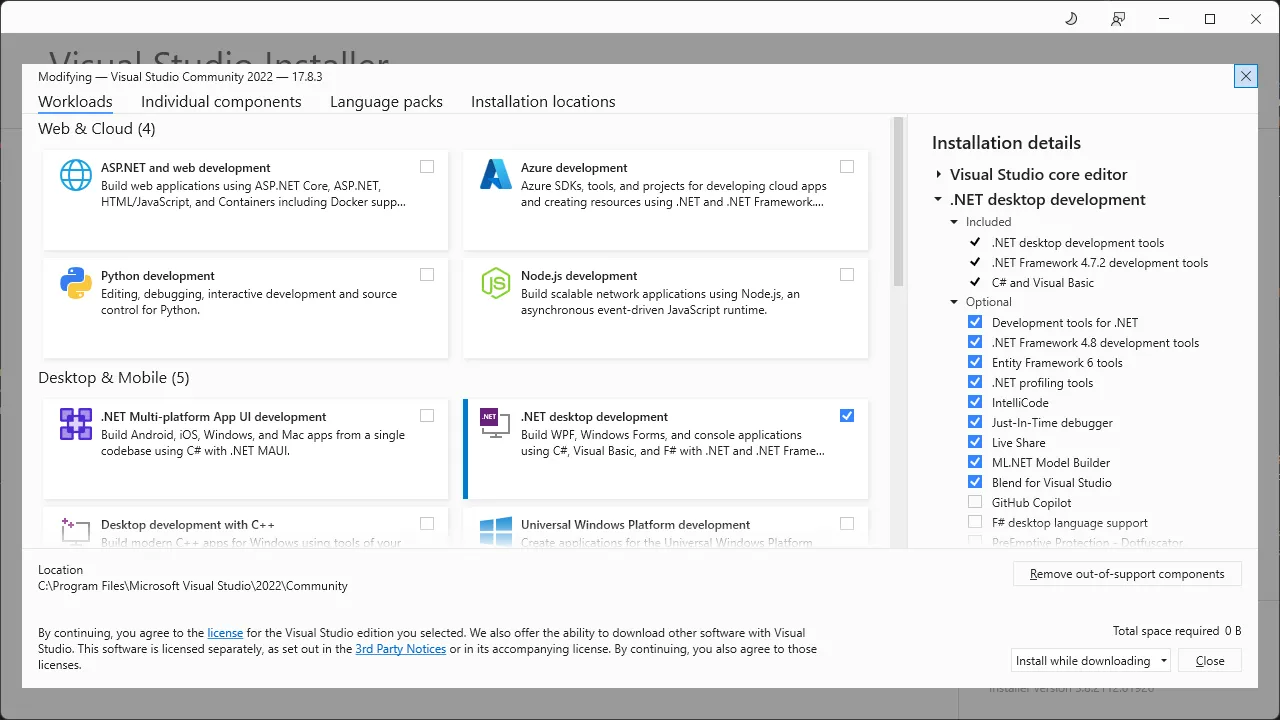
If you aren’t using Visual Studio, see the intructions here for how to install the .NET SDK on your platform.
Licensing
Section titled “Licensing”Please take a moment to read and understand the license agreement. The backtester software is licensed product and uses a cryptographic key tied to your physical machine. The standard license allows a single user to activate the license on a primary machine and one backup machine (e.g. laptop for travel). Please contact us with any questions, to request a trial key, or for offline licensing options.
Activation
Section titled “Activation”Activation is a one-time procedure. From a command prompt, install the Licensing Tool by typing:
dotnet tool install Balsam.LicensingTool --globalUpon successful installation you should see output similar to this:
You can invoke the tool using the following command: Balsam.LicensingToolTool 'balsam.licensingtool' (version '1.0.6') was successfully installed.After the licensing tool has been installed, activate your machine by entering the following in the command prompt, replacing ‘xxxx’ with your actual license key pasted from the clipboard (license keys are quite long).
balsam.licensingTool activate --key xxxxTo see other available options you can use the built-in help:
balsam.licensingTool helpThe most up-to-date Balsam libraries are distributed via a private NuGet feed, details of which are provided with your license key.
The core libraries include:
- Balsam.Common - Interfaces and low-level classes shared across all libraries
- Balsam.Backtester - The core backtesting engine including many supporting classes for general market analysis.
- Balsam.Charting - Basic charting support for visualizing TimeSeries and strategies.
- Balsam.Reporting - Backtest reports and utilities to export a variety of objects to Excel.
- Balsam.Backtester.Windows - A ‘meta-package’ containing references to the four key libraries above. This provides one-stop shopping to get started on Windows machines.
Other Balsam libraries, which may require separate license entitlements:
- Balsam.AdvancedCharting - Charting library capable of handling millions of data points, particularly useful for intraday work.
- Balsam.Backadjuster - Utility to build backadjusted continuous futures contracts from individual contract histories.
- Balsam.Bloomberg - Data server interfacing with the Bloomberg Terminal via their desktop API.
- Balsam.Optimization - Basic portfolio optimization routines including MaxSharpe and MinimumVariance optimizations. Deprecated and no longer under active development.
- Balsam.Remote - Client library for accessing remote backtesting servers.
- Balsam.UnfairAdvantage - Data server Accessing CSI Data’s Unfair Advantage via their API.
Stand-alone programs in the Balsam product suite:
- Balsam.ChartServer - A Windows application used to render charts using the Advanced Charting library.
- Balsam.Server - Remote backtesting server.